Cutting through the noise of email is challenging. You need to create a call to action that gets attention, summarize information in a few screens or scrolls, and deliver value so that your next email of the same kind gets opened. When you are sending a notification of user activity or logging errors that require user action, the stakes are higher to deliver value immediately.
Providing a usage summary or notification digest is a delicate balance. To deliver initial value and to stay relevant, you need to demonstrate that something happened, that you counted it, and that it’s easy for the product’s user to understand what happened. It might feel like a bonus for your users if you share important, actionable information for a user that lets them know if they need to take action (and what action to take).
Let’s take a look at some of the components of an effective email digest notification.
Building a digest
The core of any digest is to surface relevant information at the right time for your user. Your user asked to be interrupted when they subscribed. Please interrupt them only on the expected cadence, or provide enough value to warrant an interruption. Here’s an example: if your product processes thousands of records a day for a customer, you probably don’t want to give them information on every successful transaction: you want to tell them about the summary of what went right and highlight the exceptions.
Any alert you provide should let them know the severity, a description, and whether any action is needed. You will earn bonus points with data nerds by tracking trending information or patterns over time.
And what should be included? The components of email notification are pretty straightforward:
-
What happened?
-
What is the effect of the thing that happened?
-
Is this something you should worry about?
-
Is there any specific action you need to take?
What happened
In a minimum of words, let the user know what happened. Focus on the facts, e.g. “The scheduled task {{taskname}} that runs 3 times a day failed to complete at 3:34pm.”
The goal is to inform, not anything more or less. The notification should match the period of time covered, so a notification covering a larger time period than a single occurrence might note: “The scheduled task {{taskname}} completed 39 of past 40 runs (link to see errors).”
What’s the effect
Some errors cause breaking change; others are informational and don‘t have a next action for the user to follow. There are also errors that be automatically retried and could present an eventual problem if they don’t resolve within an expected period of time. You need to help the user understand the effect of the message, whether it’s usage-based, informational, or unexpected.
Severity/Priority
Is this a critical error requiring immediate action? Is this something you should pay attention to only if it happens again? Is this for information only? The priority of the notification will help the user decide. Too many noisy messages will get you an unsubscribe instead of a thank you from the user.
Action required
“What do I need to do now?” is often the response of someone who just received a confusing message. If there’s action required to fix a problem, it’s essential to highlight what needs to be done, where to do it, and when it needs to be done, along with some indication of how you’ll know if you completed the task.
What does a “good” error notification look like?
An error notification, especially a single error notification email, is an important subset of a digest. Letting the user know what’s going on, how important it is, and what to do next is very important when you send an unexpected error notification. What does this look like when done well?
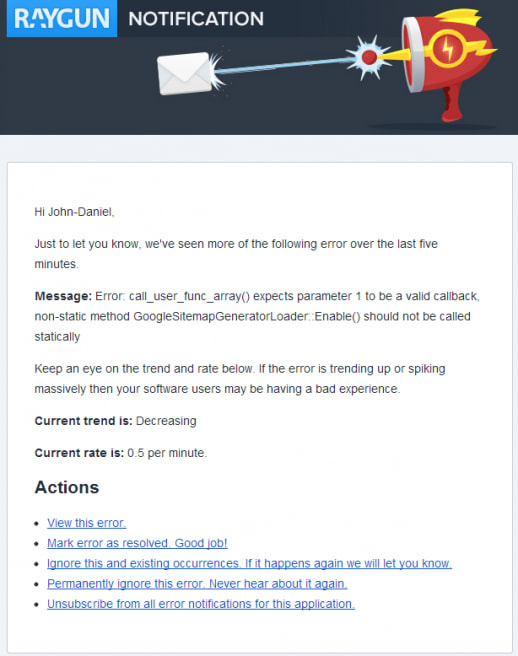
This alert checks all of the boxes that we want to see in an unexpected alert notification email:
-
The message lets you know what’s going on and when it started
-
It provides you with some trending information
-
There are pre-determined actions where you can choose
When you want to summarize that information into a longer time period, there are some additional design items to consider.
Designing a useful notification digest
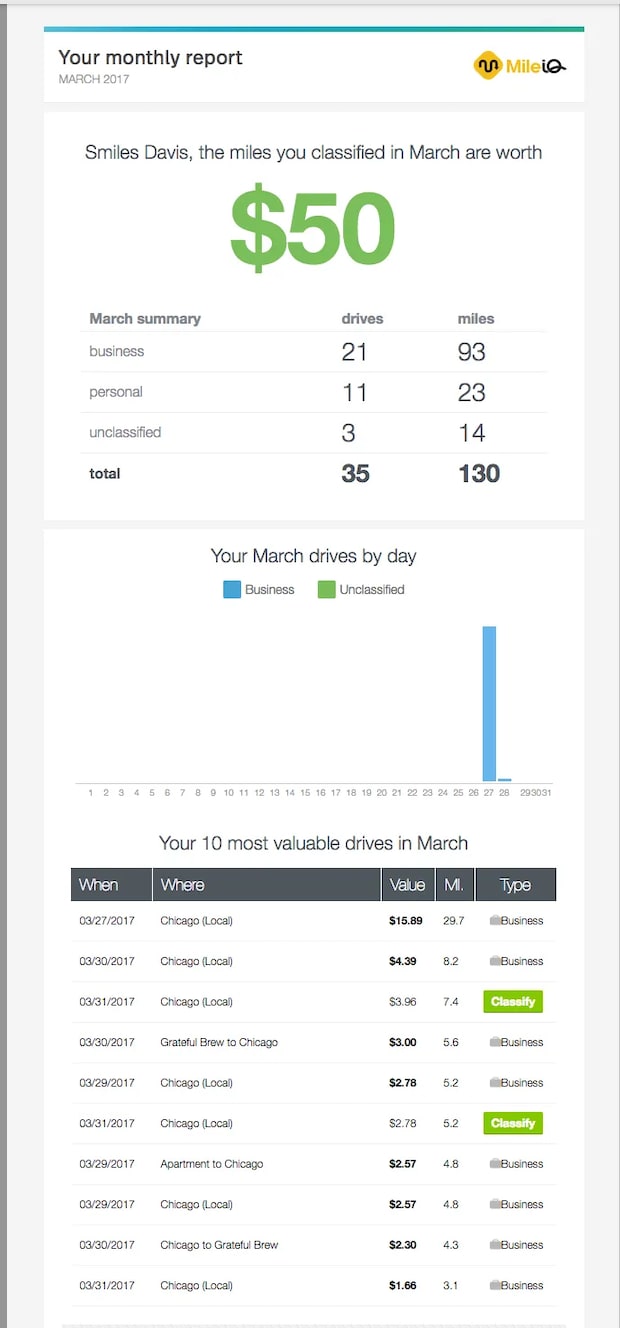
When you summarize multiple items into a daily or weekly digest, information density is going to be a key consideration for getting attention from a user.
As you did in an individual email alert, you need to share enough information to be relevant, but not too much. You also need to expose some rolled-up usage stats, error compilations, or similar without overwhelming the user by providing unneeded summary information.
A great digest compiles an insight on your behavior, provides the TL;DR level of information, and gives you the opportunity to dive more deeply on areas where you need to know more.
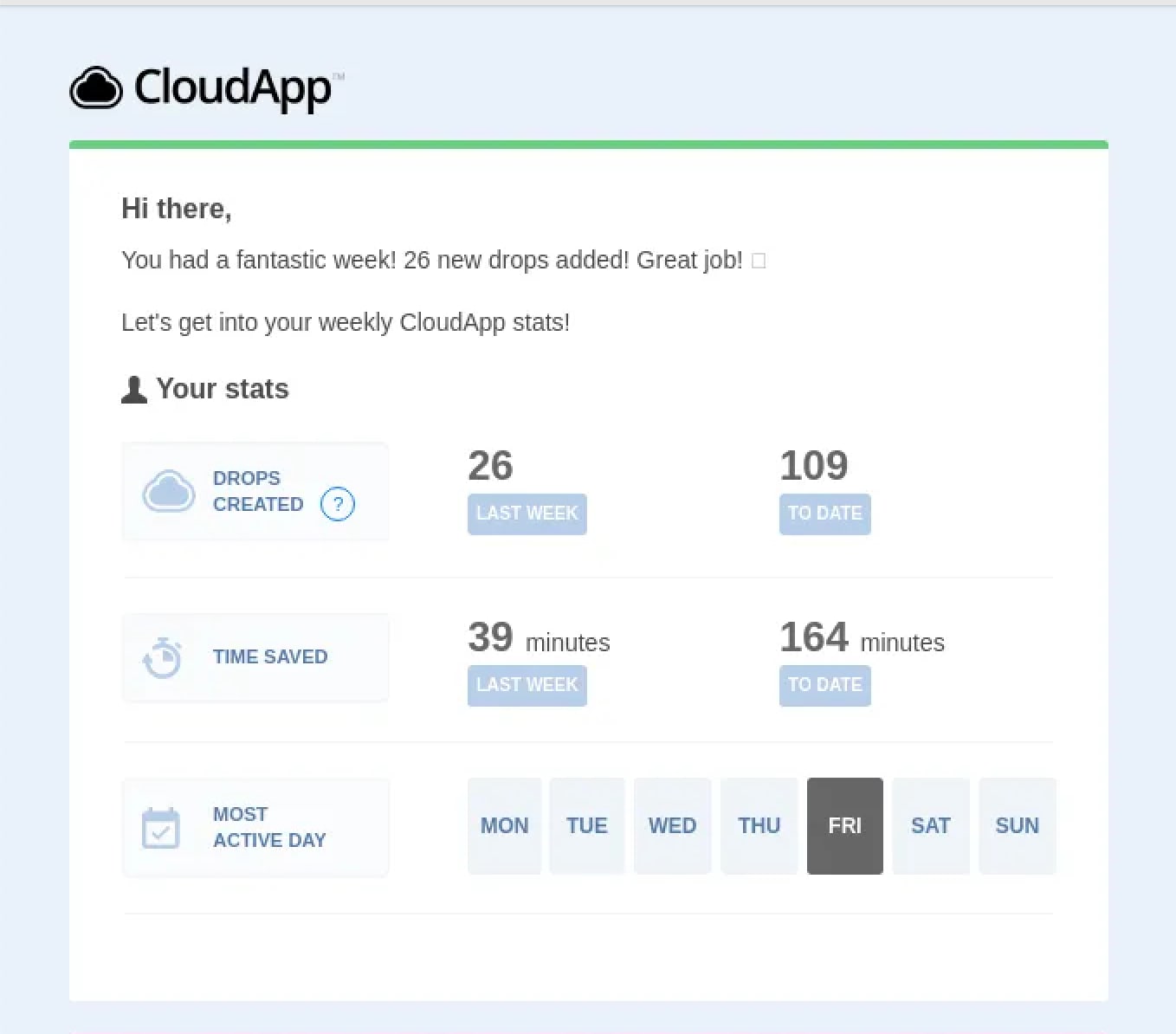
Here’s an example of a usage summary done well by CloudApp.
(See more examples here from the folks at ReallyGoodEmails.)
Enough information to be relevant
What is a digest? Enough information to let you know whether things are going well or not. The purpose of communication like this is not to give you all of the possible information but a reliable prompt to find the answers you want from the product you are using.
Rollup stats are great if they represent the areas of the app where you find value. In the update from CloudApp shared above, they highlight number of times you have used their software and the time they believe you’ve saved by doing those actions. What is the metric that you would want users to count? It should be in your notification digest.
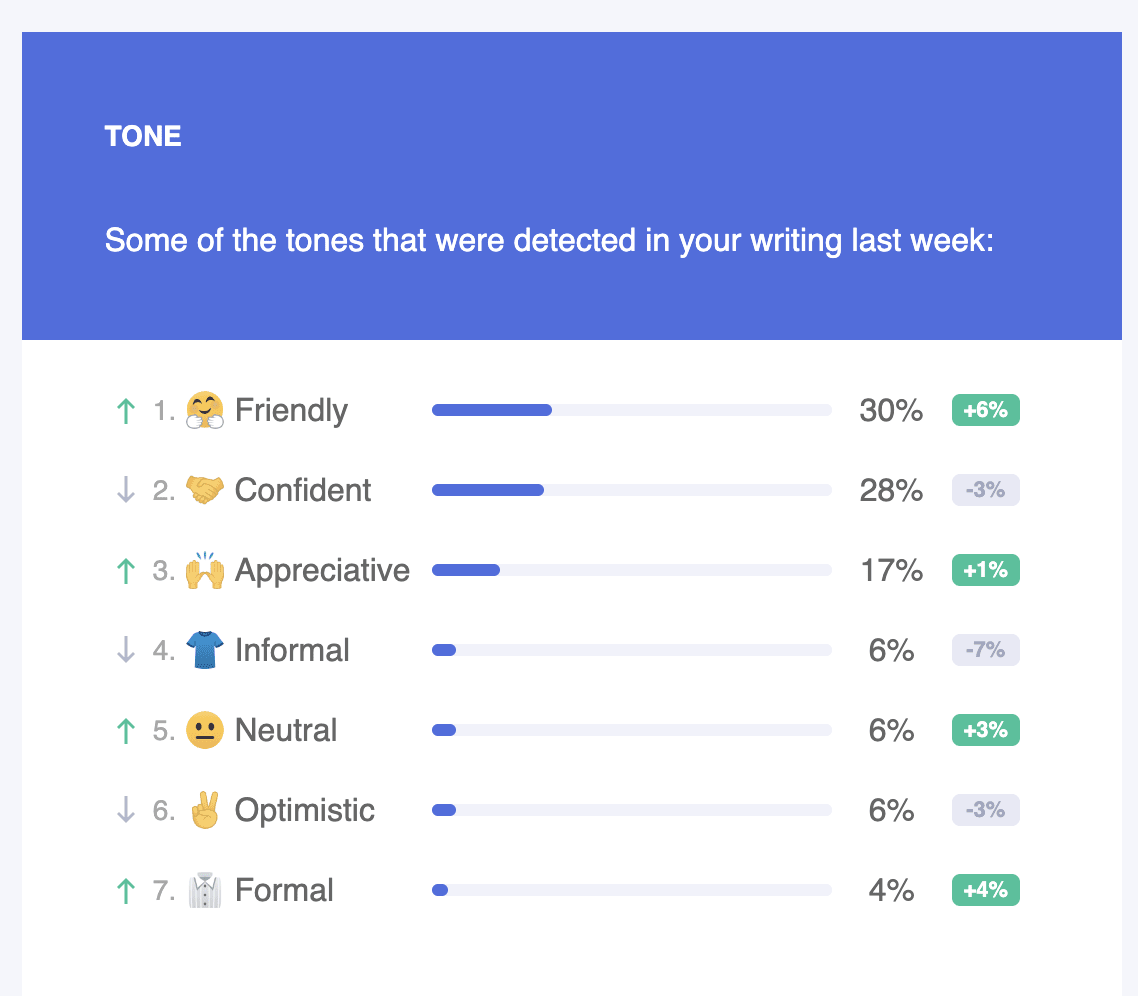
Rollup stats and trends can also provide context for users to watch their performance over time. Aggregate trending is a good pattern to engage more active users and will help keep them engaged, as in this snippet from a Grammarly notification email.
TL;DR
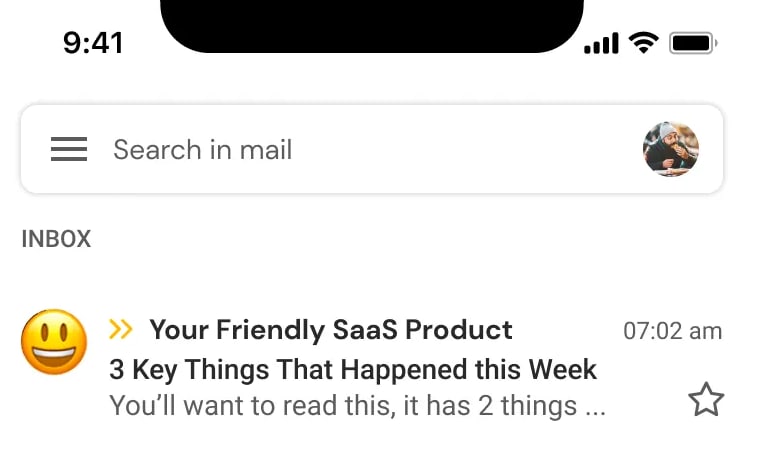
Business users get a lot of email (over 100 emails daily according to a 2015 study, and email has not gotten less verbose since then). Add in multi-channel communication like Text messaging and Slack and the average user’s time is at a premium. To get value from your digest, you need to be very clear with the subject and body content, letting them know what happened, what they need to do about it, and what time period it covers.
Whatever you decide when you are creating a notification email or digest, make sure that the email address that sends the note aligns with a real person who can respond to any reply. It doesn’t matter whether it’s a generic help@ email or a person, as long as it’s not the dreaded “no-reply” email.
What’s the takeaway? When sending a notification that requires action, think about how this will work as a single email and as a digest of multiple alerts. For usage-based information, group the types of metrics you’re providing so that the user knows how to focus on the most important items. To do this, you might consider creating an automated TL;dr to your digest itself – include the most important items up top.