If you’re reading and haven’t subscribed (yet), give it a try! And if you have any comments or are interested in sponsoring, hit reply.
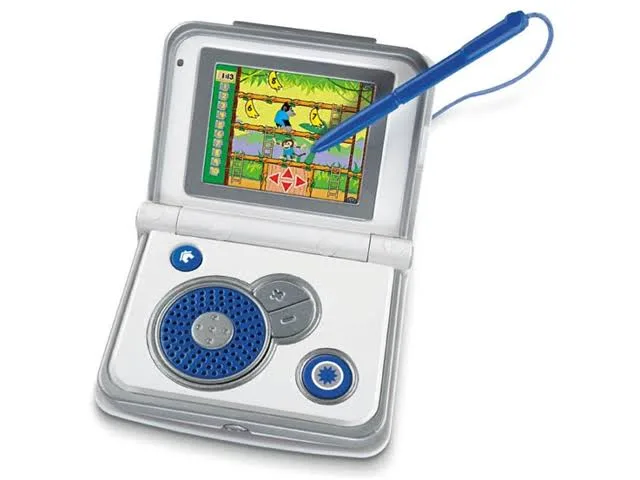
In 2010, the Fisher-Price iXL learning system promised the following capabilities for 3 to 7 year old kids using a single device: “a child’s Digital Book Reader, Game Player, Digital Art Book, MP3 Music Player, Notepad and Photo Viewer.”
This toy looks primitive to these same people in 2023. It came along before iPads, dedicated educational software, and more sophisticated toys for kids and adults alike. Yet it offered a lot of specific capabilities to users.
Compare that view to this set of educational instructions to build a “Rube Goldberg” machine, a scientific project for high school physics students to teach them the principles of exploration and the scientific method.
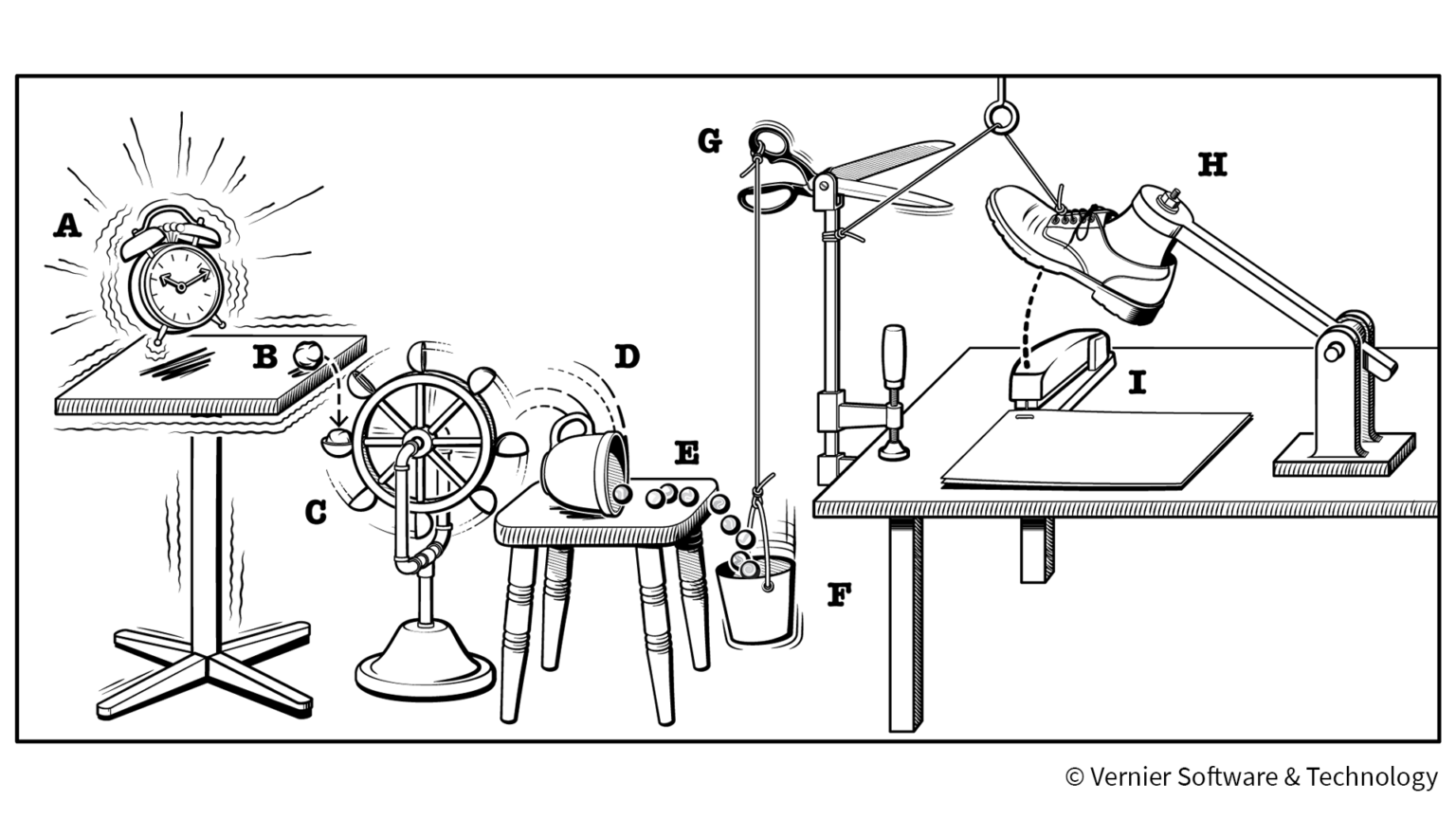
Succeed in this experiment, and you have the tools to solve almost any engineering problem (within reasonable constraints, of course).
Take a closer look at these two options and you have an interesting mirror of the software business.
-
The first option appears too simple to be useful: a few buttons, a click wheel, a volume control, and a stylus. But it drastically limits the path that users can take to find value, and the permutations necessary to support the different things that might happen.
-
The second promises a “choose your own adventure” kit that can do … well, anything. You can solve any problem. And troubleshooting that problem might require a pretty sophisticated breadth and depth of knowledge.
When you’re building software, should you aim for “so simple, even a toddler can use it” or “it can do anything”?
Start by considering the user experience. In the perfect scenario, you build something that teams love, use all the time, and adapt to serve changing needs. The more typical result is that they use it when they have to use it, and not more often.
Your high performers are going to do fine in any situation. What about the rest of the team?
Do you want users to do and repeat one simple thing, or build a process that works for them?

Think about how many work-related apps you use in a day. I’d guess that most people use relatively few applications most of the time (Google Workplace, Slack, and a CRM being high on the list). Yet look at the graphic above showing the average number of apps used in an organization: over 100.
That means that most people will not log into an app very often. When they do, it needs to be pretty easy to do what you need to do.
To get better adoption, you need to make features as simple as possible, and not simpler.
Applying simplicity to RevOps: don’t build it all
What does this mean for revenue operations professionals? It means that you have to choose your enabling applications and workflows carefully to get the best performance from your teams.
In a lot of ways, this is a classic build vs. buy decision, but with a twist. Normally when you think of “build vs buy” it’s about the decision to build your own software or to buy other software instead.
In the era of composable applications and CRMs that can do anything like a Rube Goldberg machine, your “build” decision might entail building complicated applications on top of an existing platform. It all starts with a simple request, and building every request without a RevOps roadmap can result in a lot of (no-code) software and process debt.
As a RevOps leader, you need reps to follow policies and to run playbooks consistent with your procedures.
When a sales development representative is looking at their complement of 1000 accounts and trying to determine which 20 prospects to approach today, do you want them to build their own process?
You want them to know what to do and to go do it. This leaves team members time to speak to prospects and doesn’t make them wait while you build a Rube Goldberg machine.
When you buy a solution that does exactly what these reps need, you don’t want them to have only three buttons to push.
How do you balance these competing forces?
Creating a playbook to match your environment
In the real world, you rarely have software or work processes as simple as a Fisher-Price toy or as complicated as a Rube Goldberg machine.
You do control the playbook you want to run. If the goal is to make sure that sales development representatives have a ranked list of 50 people to contact in a workday, that’s the basic feature.
Said another way, evaluate the build vs. buy decision by:
-
Deciding what you need the team to do and write it down as a sequential outline or procedure
-
Writing out a use case as you would a feature, e.g. “As a seller, I need to have a ranked list of the top N accounts I need to contact today, and a way to respond to them instantly within the same application. After I respond to them I need them to move to a different list where I can keep track of the responses”
-
Identifying entry conditions for entering the workflow, e.g. the scoring algorithm that you need to use to rank accounts, the delivery graph for new leads to distribute them to various people, and the expected information you need to be able to run a selling playbook
-
Define how you want to track success or failure of the playbook in a simple report
Once you have the blueprint available, it’s a lot easier to evaluate whether you want to buy a solution or build a perfect Rube Goldberg machine. (P.s. don’t forget time and cost when thinking about this conundrum.)
What’s the takeaway? “Build vs. buy” is still something you need to consider when you are building customizations on top of an existing commercial platform. Make this decision easier for yourself by treating your RevOps workflow like a feature and drive the process like a product manager.