The other day I conducted a product design session with a friend. He wanted to put together a design for a conversational chat application. The task covered the creation of a scenario and modeling screens for an application that would demonstrate his style and ability.
In our past discussions, our interaction would work like this:
-
Think about the ideal customer profile for the idea
-
Build an initial hypothesis for the application flow
-
Ideate and discover initial product features
-
Create screens and compare those screens
-
Take that additional idea and review it with the team to determine needed refinements
These conversations normally take hours and cover multiple sessions. For this session, we decided to try using ChatGPT as a copilot for the session.
Wait, why use ChatGPT to help you define a product?
ChatGPT and other chatbots are not product managers. They produce “tokens” or responses in response to the most recent prompt they have received. That means they are pattern-matching to the next most likely token (word in this context) and providing a likely output.
At the initial stage of a product flow, one of the biggest challenges is getting from nothing to something. The blank page problem is real because you’re often defining a flow that has multiple variables and is a story that helps someone to imagine the feature as it might exist in an application. (You might have thought about some screens right now – that’s your analog large language model doing a similar kind of pattern matching.)
The product process works better if you have an ideation partner. It’s a quick iteration where you first build a story, then identify decision points, and then think about what happens next. You’re essentially building a scenario that needs to seem real. ChatGPT is a great partner for this process because you can change the output instantly.
No, this is not intended to replace the design process. The goal here is to make it much faster to get to a usable product design by using generative tools to build the pieces of a low-fidelity prototype faster than humans can do it.
What does “copilot” mean?
Let’s break down the idea of a copilot in this context. What it doesn’t mean: is letting the chatbot do everything. This is a failed process if you create a scenario that runs itself and defines a closed system.
Copilots help you know where to go. They help you to do complicated things like navigate a map or check your knowledge of a subject. They let you realistically describe a problem. They are also really good a pivoting from one description of a thing into another description of a thing.
To make this a bit more concrete, let’s say you wanted to describe the conversational chat scenario between a team member and a customer. First, you need to identify the scenario. This is a crucial prompt.
Where copilots shine here: asking you to iteratively describe your scenario to get to the right level of detail that sounds believable. (Here’s a link to the chat if you’d like to try it yourself.)
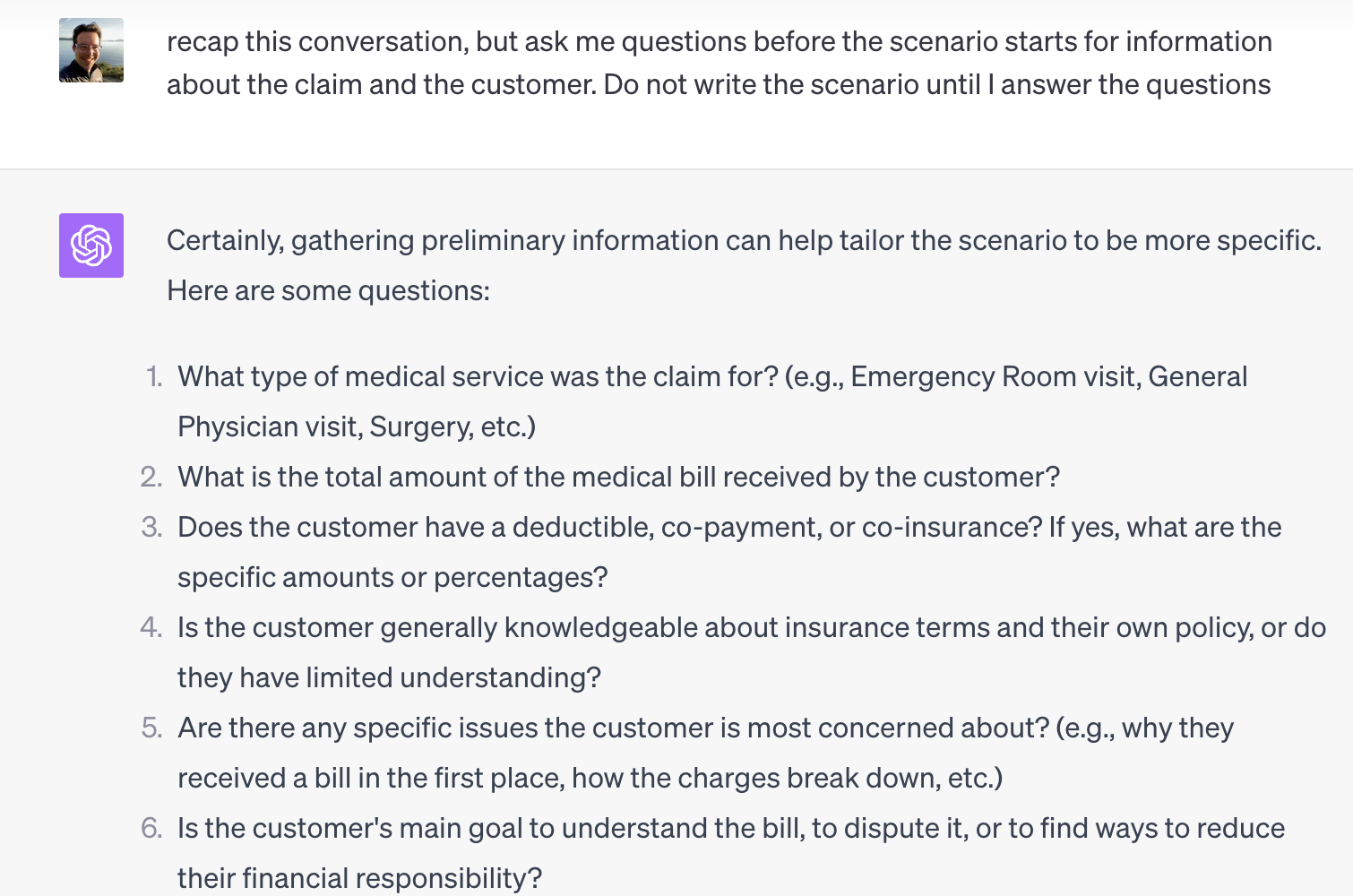
Generic requests yield generic answers. The “one shot” prompt gives you pretty bland results. Starting to speak to ChatGPT in the way that you would ask a coworker will get you decent results. Getting specific in your language will get you better results.
The core of good design is clear language. It turns out that specific ideas and context help you to focus your efforts and it’s also good for the AI.
Moving from descriptions to flows
A story is a useful first step in defining a flow. The next step is thinking about the sequence of events – also known as a user journey or an agent path – and making this into a diagram.
One way to visualize these steps is to use a structure called GraphViz that connects steps in a process. A -> B is a form of markup that tells the software that these are related steps. Adding attributes lets the system (and the person reading the flow) know that there is important information embedded in that step.
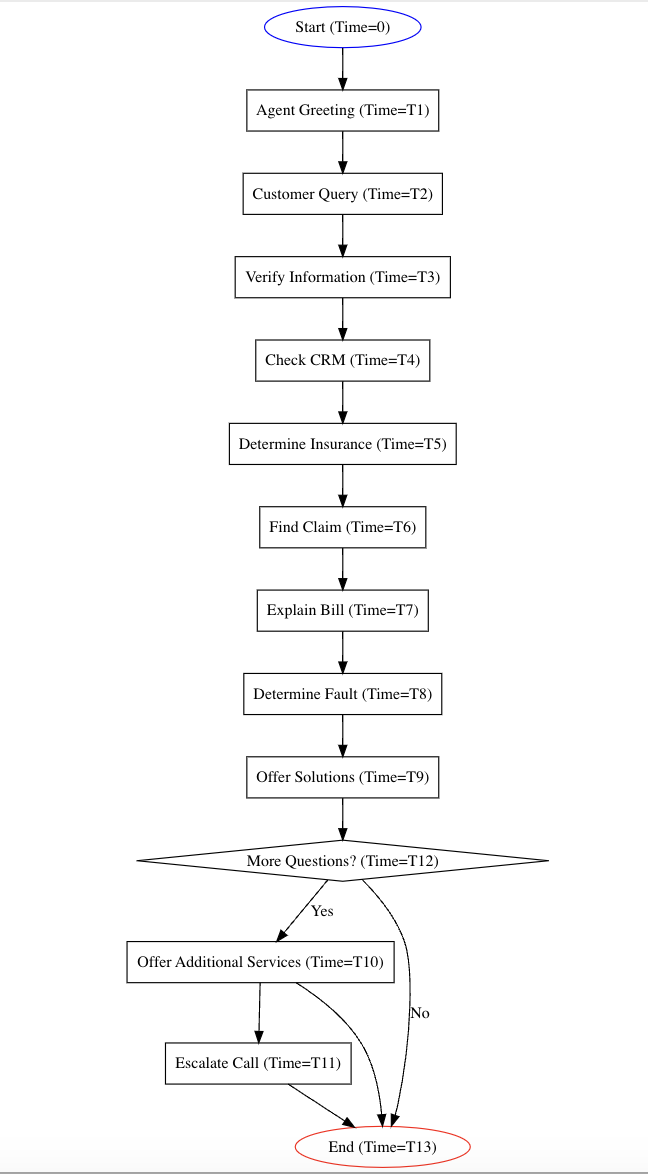
How can the copilot help with this process? It’s amazing. “Add a step to this process where the team member needs to get approval from a manager if the dollar amount being discussed is over $250. Now generate my Graphviz diagram again.”
Stop for a second and think about that. One of the biggest challenges in iterative design is adjusting the design when the underlying assumptions change about a step or a flow. Adding an AI Copilot makes that process much faster and easier. It doesn’t replace the work required to come up with that process and refine it.
Moving from flows to screens
Another slow point in the design process is building the design abstraction that takes the flows and turns them into full-on screens in design tools like Figma.
A great thing about the kind of diagrams we discussed above is that they are highly structured and can be transformed into SVG, a graphical file that can be added to Figma.
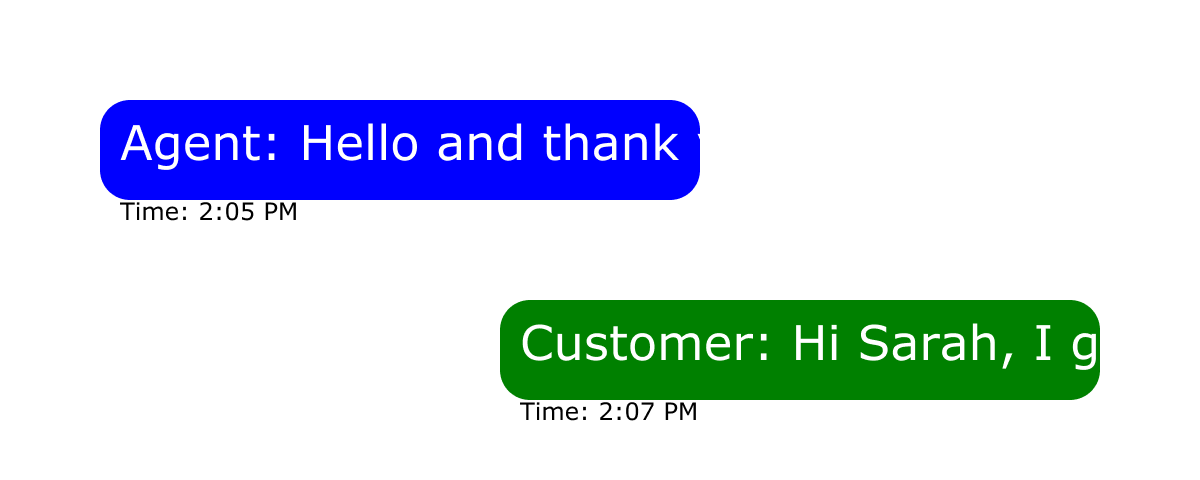
Is this a presentation artifact? No, but it’s a really quick path to get to a lo-fi wireframe that you can style and update quickly. Get started by asking ChatGPT to turn your Graphviz diagram into an SVG file. You’ll need to take an additional step to save it as an .svg file and then you can drag it into Figma.
How is it different to work with a copilot?
Does working with an AI copilot replace working with a designer? Nope. It’s not nearly as nuanced, clever, and capable as a human. But it’s great at taking the artifacts that emerge during the design process and bringing them to life quickly.
What’s the takeaway? Starting a design with an AI copilot is faster, more fluid, and easy to iterate. If you haven’t tried it yet, you should. It’s not going to replace what you do as a product designer, but will make it substantially easier to adjust when requirements change.