If you have a comment or are interested in sponsoring, hit reply.
In under 30 minutes, I built a tool that reads the ID of a Google Sheet, parses the values in a list, sums the total, and writes a message to Slack letting me know the total and the contents of the list. The catalyst? Pipedream.com, a low-code (or no-code, depending upon your preference) tool for creating workflows and accessing APIs.
Pipedream is a useful tool that lets GTM operators create workflows that formerly required engineering resources. The best part? It’s free to get started and not that spendy once you get going if you’d like to use it at volume.
With a tool like Pipedream, you can build integrated flows across applications and create custom solutions. What’s great about it is that you don’t have to be an ace programmer to take advantage of the ability to interact with different sites and tools.
Getting acquainted with Pipedream concepts
Pipedream uses a source event (usually provided by a webhook or a timer) to start a workflow.
If you’re an experienced developer, you’ll find the idea of a structured workflow based on steps that execute in turn pretty intuitive. If you’re uncomfortable with coding, keep remembering “if this, then that” when designing your workflows to get the best results.
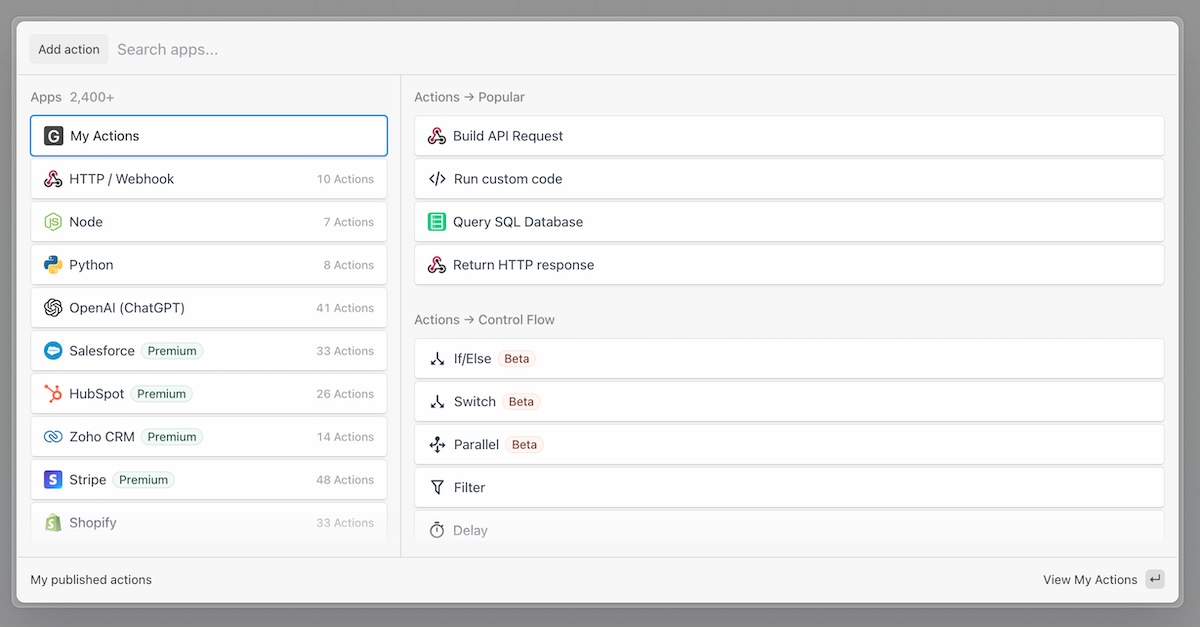
Each subsequent step uses custom code or pre-written actions to connect to resources you want to use in your workflow. There are tons of available actions, including AI options that work alongside you to collaborate on code.
You’ll need to create your own guardrails and define how you want the code to behave. If you’re using the custom code steps, you need to do some error checking to ensure things go right.
The basics look like this:
-
For any step, you can use pre-defined actions or write custom code
-
Each step is executed in order according to the control flow you define
-
Subsequent steps have visibility into the variables returned by previous steps
-
There is a persistent memory store available if you’d like to store information across workflow runs (e.g. to create a Sales Round Robin or know the last time a workflow was executed)
If you’d like to learn more about specific functionality, check out pipedream.com/docs.
What our example does
This fictional example uses the concept of a list (in this case, a grocery list) where you would want to be notified of the contents and cost of the list when the list changes.
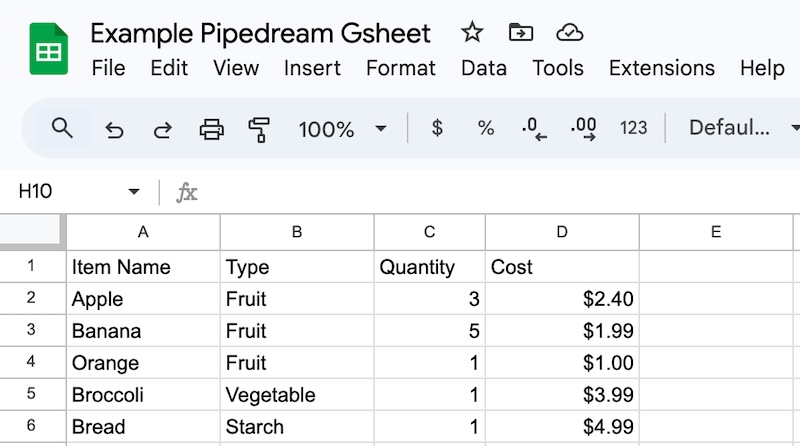
I created a simple spreadsheet to track our list. If you were doing a more complete integration, you’d want to read the columns and rows and potentially check the datatypes returned, but we’re going to assume the happy path for this experiment.
Our goal?
-
Read the list
-
Count the number of list items
-
Sum the cost of our grocery list
-
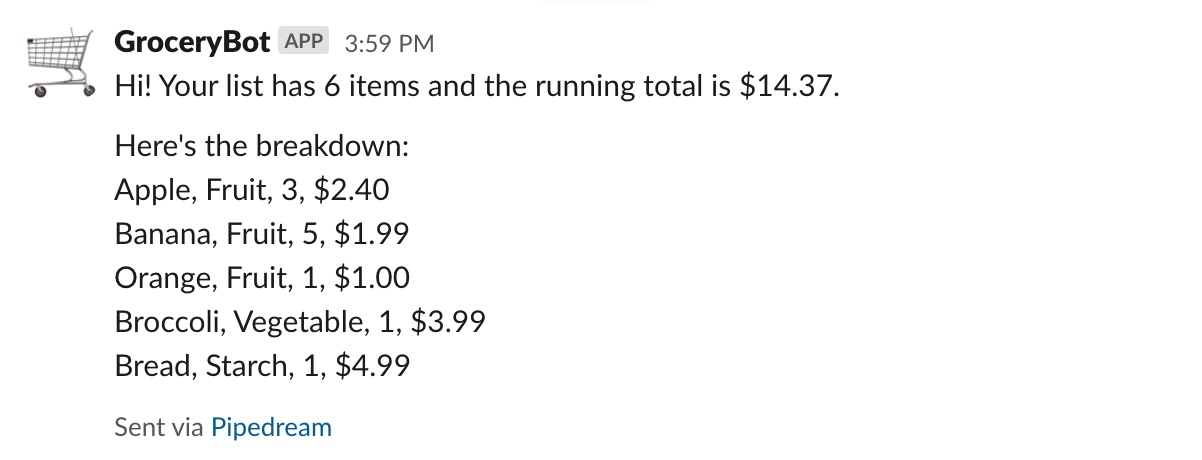
Send a Slack message to our channel
How the flow works
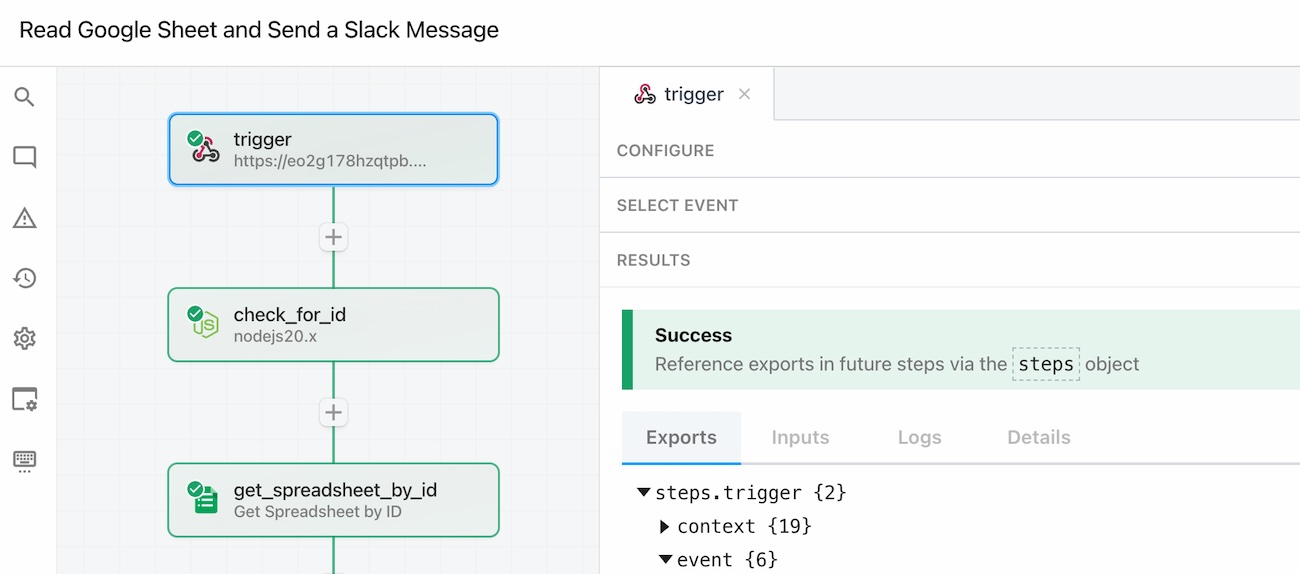
Pipedream creates a webhook URL that we can use to kick off the process. I used a Google Sheets connector to read a SpreadsheetID (that’s the long series of numbers in a Google Sheets document in the URL) from the id parameter in the original call.
If the parameter is present in the webhook call, Pipedream will fetch that Spreadsheet and execute our sample workflow. Otherwise, it will exit according to our instructions.
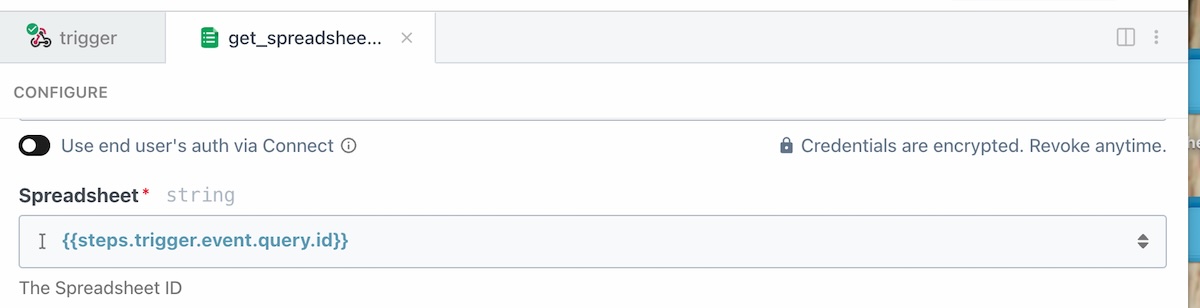
Each step of the workflow is available using a path similar to the one above, and you can also create variables that persist beyond a step by returning them as part of your workflow. Think of Pipedream as a very declarative form of programming where you encapsulate each step of your process in a step and then execute them one by one.
Our (admittedly silly) example does the following:
-
Looks for the ID parameter appended to the webhook source URL created by Pipedream, and when it finds it, connects to an authenticated Google Sheets account to read the contents
-
Gets the rows and columns in the spreadsheet
-
Uses a Javascript custom code step to loop the items in the basket, create a message for Slack, and count the total
-
Sends a message using Slack to the pre-determined channel we specified
If you add an item to your grocery list and run the workflow again, you’ll get an updated message.
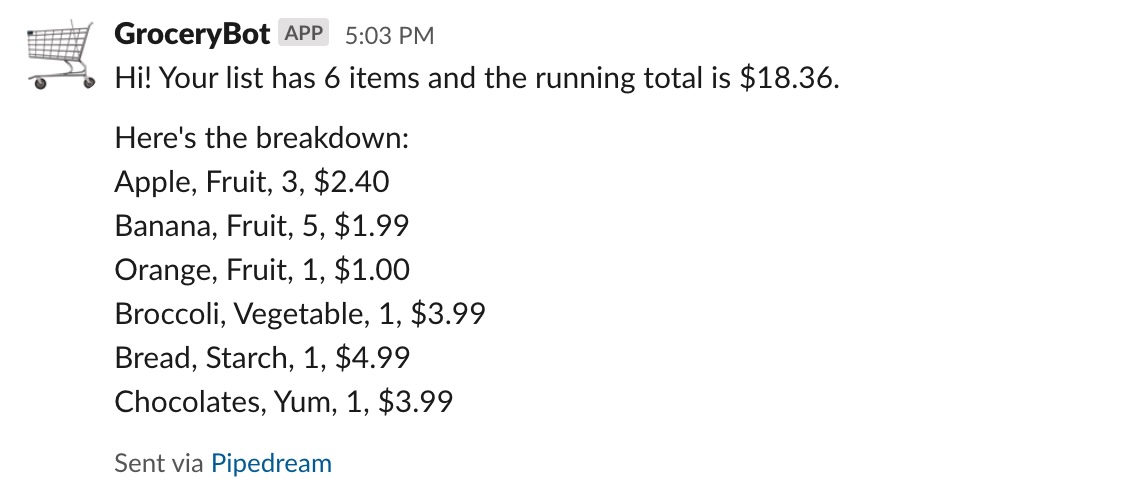
It looks like someone needed an extra item in their list 🤩.
What you’ll need to try this out
-
A Slack account where you are the administrator (free tier is fine)
-
A Google Sheets account
-
A Pipedream account (free tier is fine)
Things you’d consider in the real world
If you were going to create a workflow like this one and depend on it as part of your GTM process, there are some items you’d need to consider to make it more reliable:
-
Harden the security – you’d want to make sure you got requests only from a known URL and test the source of the requests.
-
Separate the payload expectation and validating it – whether you use a record type for the columns and information you expect or do that dynamically, validating that you got the information you expected is critical
-
Accommodate Failure – do you want a separate notification for automation errors? Yep.
-
Add an automatic trigger for action – by using a time trigger or an event trigger initiated by another application, you can run the workflow on demand and at critical times for your notification
Pipedream’s great at doing all of these things, and should be a valuable part of your GTM toolkit.
What’s the takeaway? A lot of workflows happen outside of the typical purview of software features, typically because they cross boundaries between applications. Instead of relying on built-in integrations, use the toolkit provided by Pipedream to build your own flows. You don’t need to be an ace programmer to get the job done (and if you don’t want to use code, you don’t have to!)