Picture this: you run a query and find the count of active customers. Next week, you run the same query and get a different number. In the perfect data environment, you know why that number changed. It’s a combination of new customers, customers who left, and those who didn’t change.
Now here’s the hard part. You can’t easily see the rate or shape of the change with a single point of data on a record.
Most teams store subscription status as a field: status = "active". That works until you need to answer “when” or “why” questions. So you add more fields: billing_status, product_status, support_status. Now you have three statuses that might conflict, and you still can’t answer “when did they cancel?” or “what triggered the last change?”
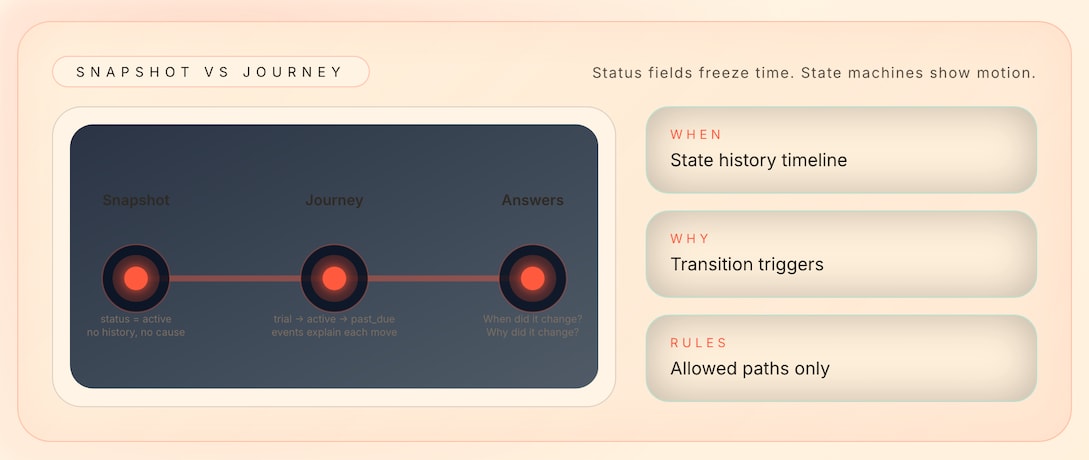
The problem isn’t the number of fields. It’s that you’re storing snapshots when you need journeys.
When did they cancel? How long were they in trial? What triggered the last state change? A status field can’t answer these. It’s a snapshot, not a story.
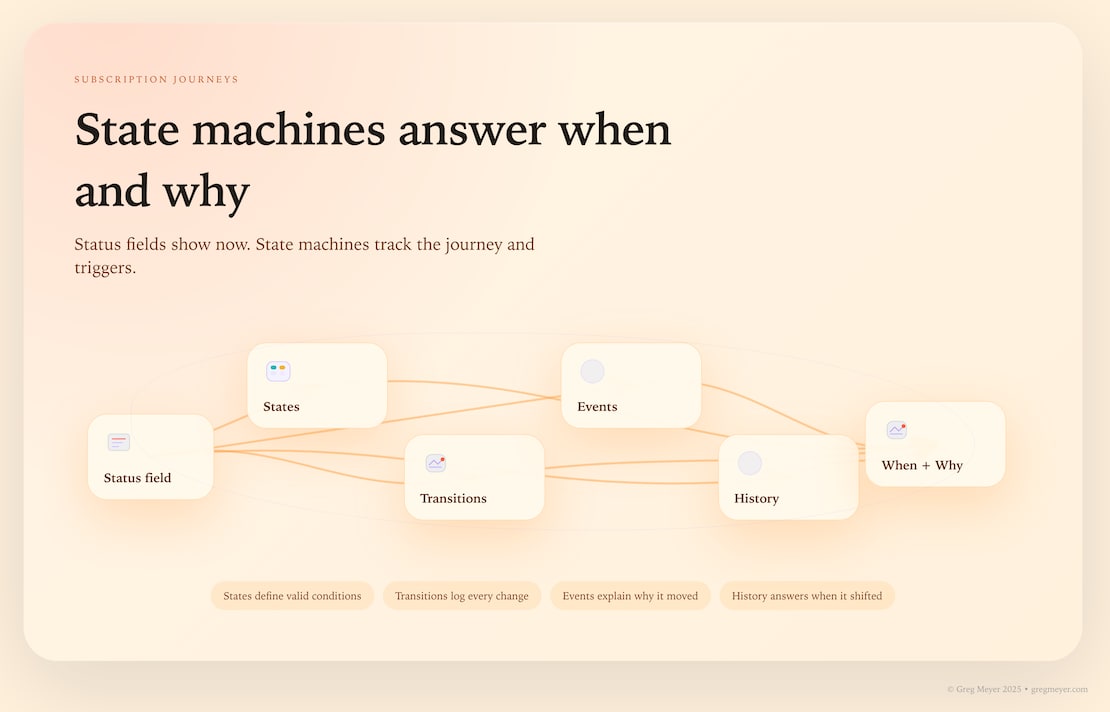
The solution isn’t more fields. It’s a state machine. A state machine models how subscriptions move through states (trial → active → cancelled) and what triggers each transition. With state history, you can answer “when.” With events connected to transitions, you can answer “why.”
State machines capture the customer journey
Most teams model subscription status as a field because it’s simple to store a single value. But subscriptions move through states over time. A status field tells you where a subscription is now. A state machine tells you where it came from, where it can go, and what triggers each move.
The difference matters because the questions that matter aren’t “what is the status?” They’re “when did it change?” and “why did it change?” Those questions require history and events—the two things a status field can’t provide.
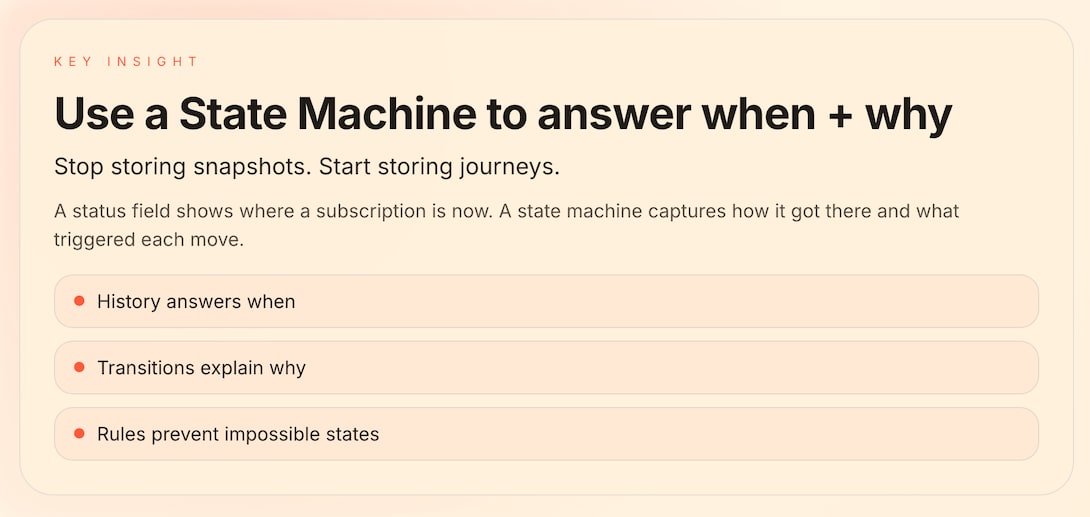
A state machine isn’t just a better way to store status. It’s a different way to think about data. Instead of asking “what is the current state?” you ask “what is the journey?” The shift from snapshot to story unlocks better questions that actually matter.
There are some questions status fields can’t answer
Here are five questions that status fields can’t answer without help from other tables:
Question 1: “When did they cancel?”
-
Status field: Can’t answer. You only know they’re “cancelled” now.
-
Why it matters: You can’t calculate time-to-churn or identify patterns in cancellation timing.
Question 2: “How long were they in trial?”
-
Status field: Can’t answer. You only know they’re “active” now.
-
Why it matters: You can’t optimize trial length or identify which trial durations convert best.
Question 3: “What triggered the last state change?”
-
Status field: Can’t answer. You don’t know if it was a payment failure, user action, or time-based rule.
-
Why it matters: You can’t debug issues or understand why subscriptions change states.
Question 4: “What’s our true MRR?”
-
Status field: Ambiguous. Does “active” include paused subscriptions? Past-due subscriptions?
-
Why it matters: You’re making financial decisions on unclear data.
Question 5: “Can we reactivate this subscription?”
-
Status field: Can’t answer. You don’t know the transition history or business rules.
-
Why it matters: You can’t automate reactivation or understand what’s allowed.
Status fields capture “what” but not “when” or “why.” For subscription lifecycles, you need the journey, not just the destination.
What is a State Machine?
A state machine modes how something moves through different conditions over time. For subscriptions, it defines three things:
States — The valid conditions a subscription can be in:
-
trial(evaluating, not yet paying) -
active(paying and using) -
paused(temporarily stopped, may resume) -
past_due(payment failed, but not cancelled) -
cancelled(ended, but may have access until period ends) -
expired(fully ended, no access)
Transitions — How subscriptions move between states:
-
trial→active(when payment succeeds) -
active→past_due(when payment fails) -
past_due→active(when payment succeeds) -
active→cancelled(when customer cancels) -
cancelled→expired(when grace period ends)
Rules — What transitions are allowed:
-
Can a cancelled subscription become active again? (Depends on your business rules)
-
Can a past_due subscription skip directly to expired? (Usually no—it goes through cancelled first)
-
What can move to
active? (trial, past_due, paused—but not expired)
A state machine isn’t just a list of states. It’s a system with rules. Those rules prevent invalid states (like a subscription that’s both “active” and “cancelled”) and make your data model reflect how your business actually works.
Unlike a status field, a state machine models the journey. It knows where a subscription came from, where it can go, and what triggers each move.
How do state machines answer “when” and “why”?
A status field stores current state. A state machine stores history in an event table.
What you need:
-
Table:
subscription_state_history -
Fields: subscription_id, state, started_at, ended_at
-
This creates a timeline: trial (Jan 1-14) → active (Jan 15 – Mar 10) → cancelled (Mar 11 – Mar 31) → expired (Apr 1)
Now you can answer:
-
“When did they cancel?” → Look at when
cancelledstate started -
“How long were they in trial?” → Calculate difference between trial start and end
-
“What’s the average time from signup to first payment?” → Compare trial end to active start across all subscriptions
You’re not just asking “what is the status?” You’re asking “what happened and when?” Events are the key thing that trigger state changes.
What you need:
-
Table:
state_transitions -
Fields: subscription_id, from_state, to_state, triggered_by, occurred_at
-
This connects events to state changes: payment_failed → active → past_due
Common triggers:
-
Payment succeeded →
past_due→active -
Payment failed →
active→past_due -
User cancelled →
active→cancelled -
Trial ended →
trial→active(if payment) orexpired(if no payment) -
Grace period ended →
cancelled→expired
Now you can answer:
-
“What triggered the cancellation?” → Look at the
triggered_byfield for the transition tocancelled -
“Why did this subscription go past_due?” → Find the payment_failed event
-
“How many cancellations were triggered by payment failures?” → Query transitions where from_state = past_due and to_state = cancelled
You’re not just asking “what changed?” You’re asking “why did it change?”
What does this look like before and after?
Before: Status Field Approach
Table: subscriptions
-
Fields: subscription_id, customer_id, plan, price, status
-
Status values: “active”, “cancelled”, “trial”
Questions you can answer:
-
“How many active subscriptions do we have?”
-
“What’s the total revenue from active subscriptions?”
Questions you can’t answer:
-
“When did subscription #123 cancel?”
-
“How long was subscription #123 in trial?”
-
“What triggered the cancellation?”
-
“What’s our MRR excluding paused subscriptions?”
(You don’t even have a “paused” state)
After: State Machine Approach
Tables:
-
subscriptions(subscription_id, customer_id, plan, price, current_state) -
subscription_state_history(subscription_id, state, started_at, ended_at) -
state_transitions(subscription_id, from_state, to_state, triggered_by, occurred_at)
Now you can answer:
-
“When did subscription #123 cancel?” → Query state_history where state = ‘cancelled’
-
“How long was subscription #123 in trial?” → Calculate from state_history
-
“What triggered the cancellation?” → Query transitions where to_state = ‘cancelled’
-
“What’s our MRR excluding paused subscriptions?” → Sum active subscriptions, exclude paused
The state machine doesn’t just store more data. It stores the right data—the data that answers “when” and “why” questions.
One concrete example:
-
Status field: “Subscription #123 is cancelled.” That’s all you know.
-
State machine: “Subscription #123 was in trial for 14 days, active for 45 days, then cancelled on March 11th when the customer clicked ‘cancel’ after a payment failure. The subscription expired on March 31st when the grace period ended.”
That’s the difference between a snapshot and a story.
A fluid view of status
A status field answers “what.” A state machine answers “when” and “why.” For subscription lifecycles, that’s the difference between a snapshot and a story.
But this isn’t just about subscriptions. The same pattern applies to any data that changes over time: customer journeys, order fulfillment, support ticket resolution, feature adoption. If you’re storing current state without history, you’re losing the ability to answer “when” and “why” questions.
Start with state machine thinking. Define your states. Map your transitions. Track the history. Connect events to changes. That’s how you answer questions that matter, and how you build a data model that reflects how your business actually works.
The paradox of subscription data is that more fields don’t solve the problem. The solution is a different model—one that captures journeys, not just moments.
What’s the takeaway? Don’t add more fields. Change the model instead. Remember that status fields capture moments, and state machines capture journeys. For time-series events like subscriptions, you need the journey.