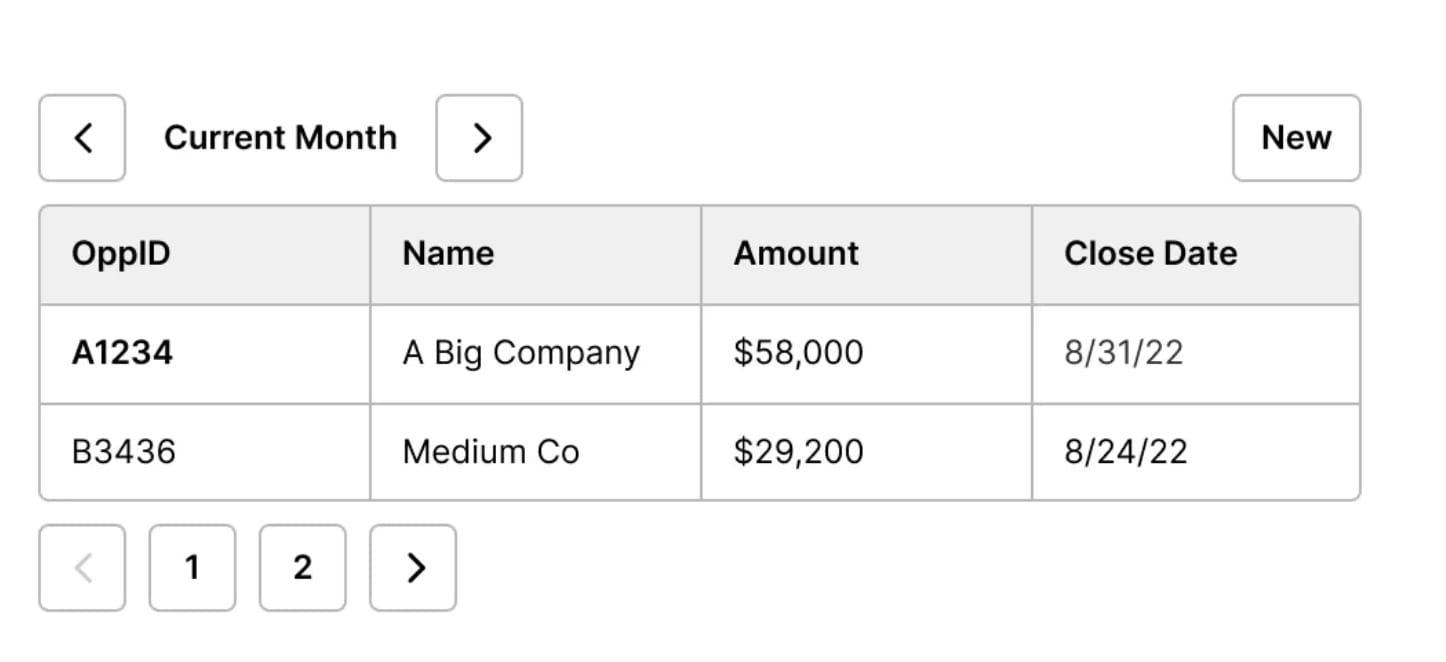

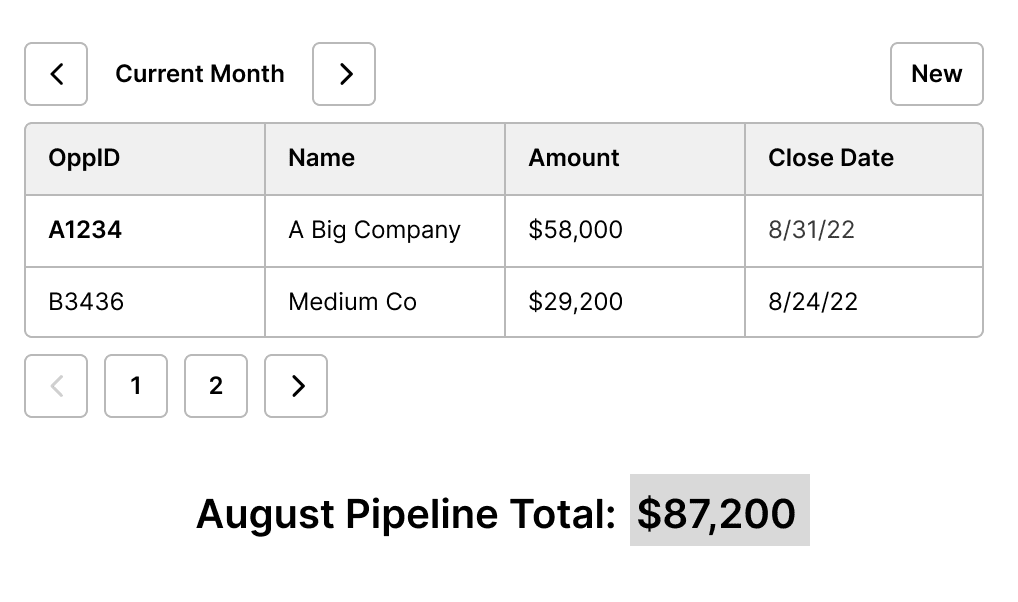
Raw data doesn’t tell you much. It’s a bunch of rows and columns. You start getting into interesting information when you need aggregates (like COUNT, SUM, MEDIAN, MIN, MAX, or AVERAGE) from a table of data. Roll-up fields count specialized items and enable you to deliver insights.
Why would you need a roll-up field? If you’ve gone through a list of accounts and counted them to find out how many are in the list, you’ve created a simple roll-up field. You also do this when you look at a list of leads and – using a COUNTIFS, VLOOKUP, or a Pivot Table in a spreadsheet – match them to the accounts to count how many leads are in each account. You are setting a condition for the computer to count on your behalf.
Computers are much better at counting than people, so that’s a good reason to have the computer count on your behalf. Roll-up fields enable you to do exciting things when you combine them with workflow. If you’ve ever used a pivot table in a spreadsheet, you know the importance of being able to sum the average amount in a close-won opportunity or to group that data by a date period like the current month or quarter. These aggregates make it much easier to compare metrics across similar date spans.
What’s in a rollup field?
Every roll-up field doesn’t look like the result of a carefully crafted pivot table. The action you need might be as simple as counting a single boolean field or rolling up product usage data by contact for every contact on an account. Roll-ups and other aggregate functions make it easier to summarize data so you can get a “big picture” view of your system. Once you count the information, it’s trivial to enable the kind of Reverse ETL feature popular these days and send the summed-up line of business information to the applications that need these outcomes.
What are some of the second-level effects that can result from this activity? Here’s an example. Using aggregates can get interesting when you want to count the incidence of items and you don’t know the possible list before starting the exercise. In a go-to-market team, you might want to improve your ability to tailor content to the particular people who sign up.
With an aggregate counter, you could make a title map of webinar attendees by adding to the list every time you see a unique title. When you see an existing title, you increment the count for that title (or title variant). Sounds simple, right? A roll-up summary field just helped you to create an intent map of the personas who register for your webinar. The outcome: no fancy systems are required to tell you the recency and frequency of first-party intent registered by individual personas in your system.
Armed with this index of activity, you can change the recommendations you make to handle webinar outreach. Using the title of the person involved lets you segment that outreach by level and gives you a better chance to convert webinar registrants to higher quality leads lower in the funnel.
One more thing you might not have considered in thinking about roll-up fields: they don’t affect the underlying data. This means if you’re not right the first time you can try again. It also means that it’s easy to create other rolled-up aggregates to analyze the same data if a new team asks for information later.
The hidden power of aggregates
The secret of roll-up fields is that aggregates can be powerful second-order metrics to let you know how your business is doing. When you build roll-up fields, you gain the ability to compare data period over period (week over week, month over month, quarter over quarter) to uncover trends and seasonal changes. Aggregates also give you the ability to make simple switches using boolean fields. This enables the equivalent of a CASE or a SWITCH statement on your data.
All of a sudden, you now have the ability to add segments or buckets to your analysis based on complex reasoning. Thank you, roll-up field! They help you to see the needles in the analytics haystack.
What’s the takeaway? One small thing to remember: not everything maps to a metric. When you want to count the results of a complex process, a roll-up field is effective to aggregate results from a broad set of data. Roll-ups let you group like kinds of data even if the underlying data is more detailed.